
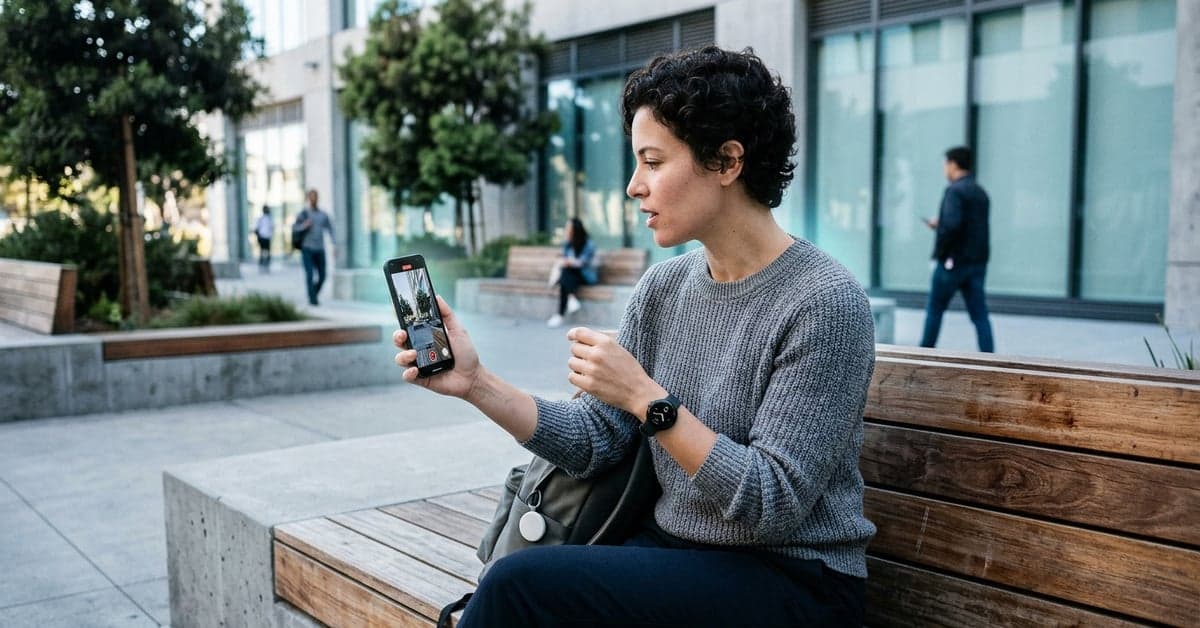
On August 14, 2026, Google AI said the Pixel 11 series, Pixel Watch 5, and Pixel Tag will ship with new AI integrations across devices. The post highlighted Magic Capture for simultaneous video and photo capture, Rambler for AI voice typing and text transformation, expanded Live Transcribe for real-time ASL-to-text via the camera, and a unifying layer called Gemini Intelligence to bind it all together (Google AI on X).
The message is bigger than a feature list. Google is sketching an assistant that lives across phone, watch, and tracker, anticipates intent, and works in the background. That cross-device bet is where the value—and the risk—sits for buyers and developers alike. This piece looks at what Google said, and what the shift means if you care about cameras, typing, and accessibility on day one.
What the Pixel 11 AI features actually do
Google’s rundown covered three headliners. Magic Capture aims to record video and stills at the same time. That solves a common choice problem: do you shoot motion or freeze a moment? If engineered well, it could let a parent grab a crisp photo mid-cheer while the clip keeps rolling. The quality bar will rest on how the camera pipeline prioritizes exposure, shutter timing, and stabilization under split duties. Google didn’t share those technical details in its post, but the promise is clear.
Rambler targets the text bottleneck. According to the announcement, it brings AI voice typing and on-the-fly text transformation. Think dictation that actually follows your edits, then reshapes tone or length without dumping you into another app. That helps in inbox triage, note-taking, and quick replies. The challenge will be trust: when an assistant changes your phrasing, you need transparency about what was altered, and a one-tap way to revert.
The most consequential update may be accessibility. Google said Live Transcribe expands to real-time ASL-to-text using the Pixel camera. Live Transcribe started as a speech-to-text aid for the d/Deaf and hard of hearing on Android; it’s well documented in Google’s support materials (Live Transcribe & Sound Notifications). Extending that tool from audio into visual sign recognition would be a meaningful step. It could help a hearing non-signer understand basic signed communication or support mixed-mode conversations where signing and typing blend. Accuracy and bias will be the watchwords. ASL isn’t “English on the hands” but a full language with its own grammar and regional variation, as educators at Gallaudet University explain (Gallaudet ASL FAQ). A credible rollout will need clear guardrails, opt-in processing, and error handling that avoids overconfidence.
All of this sits under Gemini Intelligence, which Google describes as a proactive, agentic layer tying experiences together across hardware. If it does what it says, the assistant will observe context signals—location, motion, calendar, nearby devices—and tee up actions without a prompt. The Pixel Watch 5 and Pixel Tag expand the surface area for those signals.
Why these updates matter for accessibility and input
ASL-to-text, done responsibly, could change daily life in small but important ways. A front-desk worker could grasp a simple question from a signing visitor. A parent learning to sign might get a confidence boost during practice. The same caveat belongs in every sentence: language technologies fail in edge cases, and sign recognition adds camera angle, occlusion, lighting, and motion blur to the list. Clear confidence indicators and a fast “send to human” fallback will determine trust.
Rambler’s text transformation features carry a different risk: tone drift. Turning “Can we move this?” into “Kindly be advised…” may be efficient, but it can also misrepresent intent. Enterprise buyers will ask for audit trails and policy controls in email and chat. Consumers will want a dead-simple toggle to strip all stylistic edits and just fix typos. If Google bakes those controls into the keyboard and system share sheet, Rambler can reduce friction without creating new errors.
For people with mobility or speech differences, better voice typing is not a nice-to-have. It’s the difference between a usable phone and a paperweight. Android has a long-standing accessibility initiative (Android Accessibility). The move to unify input aids under Gemini could simplify setup and surface context-aware help in the right moment, rather than burying it in settings.
Cross-device Gemini bets: AI on Pixel 11, Watch, and Tag
Google’s framing puts the phone at the center, but the watch and tag are the glue. A proactive assistant can do more when it knows you’re on a run, your keys are moving, or your calendar is at risk. That’s the core pitch of Gemini Intelligence across devices, and it’s where the Pixel 11 AI features will either shine or feel invisible.
Consider a simple flow. You film a recital with Magic Capture. The watch picks up heart-rate spikes and time stamps the best peaks. The tag confirms your bag never left the hall. Rambler then drafts a short thank-you note to the teacher, pulling a still from the video and keeping the phrasing casual. None of that requires a new “app.” It needs shared context, safe defaults, and a memory that doesn’t creep users out.
That last part is where developers come in. If Google exposes the right hooks—intents, on-device events, and Gemini orchestration APIs—third-party apps can subscribe to moments rather than polling for data. The company already documents the Gemini API for builders (ai.google.dev). The hardware reveal will show whether those capabilities reach end users in a way that feels coherent, fast, and private by default.
Battery life will be a test. Continuous sensing, camera-based ASL recognition, and real-time text shaping all eat power. Google will need tight scheduling, on-device models that idle gracefully, and system chips tuned for bursty AI workloads. If those pieces land, the assistant becomes useful without turning charging into a new hobby.
What to watch before the hardware ships
- On-device vs. cloud: Which parts of ASL recognition, Magic Capture processing, and Rambler run locally? Clear labels matter for privacy and latency.
- Controls and consent: Will there be per-app and per-feature toggles, and visible indicators when AI rewrites text or interprets sign language?
- Language and regional support: ASL is one language among many signed languages. Watch for support plans and how Google handles variation over time.
- Camera pipeline trade-offs: Does Magic Capture prioritize still quality or video stability, and can users choose profiles?
- Developer access: Are Gemini Intelligence events and transformations available to third-party apps, with quotas and review rules spelled out?
- Battery and thermal behavior: Background intelligence is only helpful if it doesn’t throttle performance or heat the device under normal use.
The headline is simple, but the shift is large. Google is using the Pixel 11 AI features to signal that the assistant lives across your stuff, not just in a chat box. If the company nails consent, clarity, and battery, that cross-device story can feel natural. If it stumbles, users will switch features off and the promise of Gemini Intelligence will fade into settings menus. The hardware event will tell us which way this goes, but the direction is set.
For now, the early brief is public and specific. Google flagged the camera, typing, and accessibility as day-one wins on August 14, 2026 (Google AI). It’s a coherent stack on paper. The next proof point arrives when those ideas meet real light, real hands, and real time. For more on this, see ai.google and bloomberg.com.
Related reading: Hugging Face • Fine-Tuning • Open Source AI